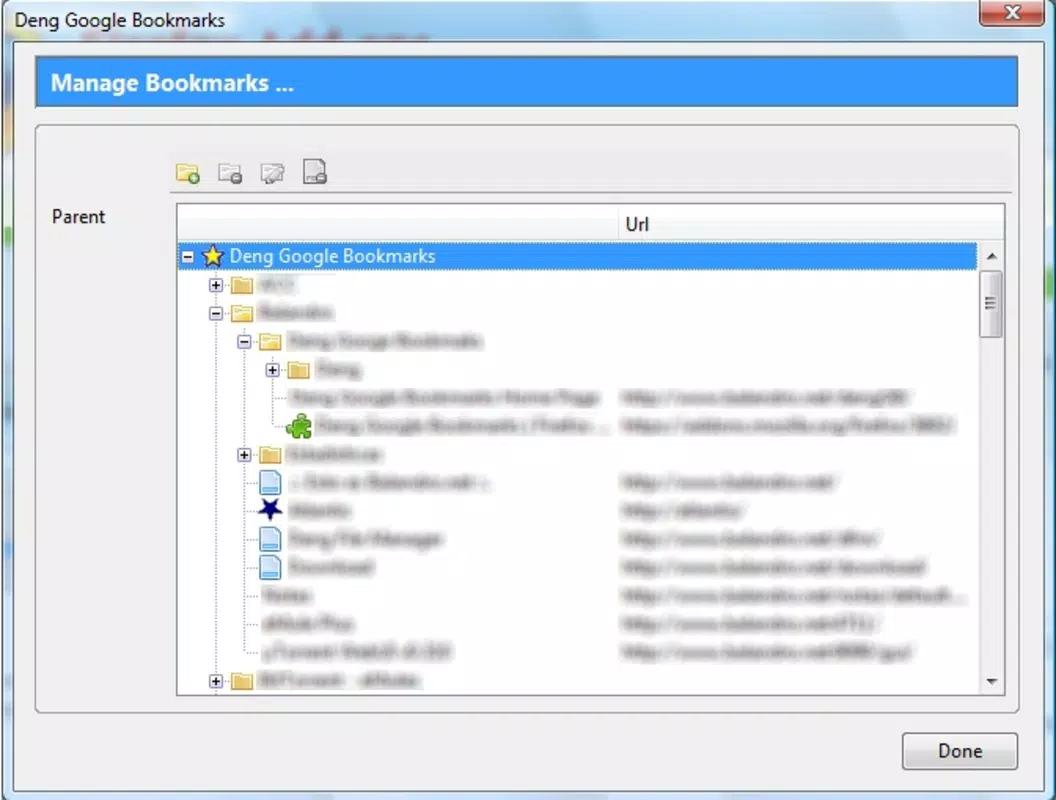

Download Deng Google Bookmarks – Google Bookmarks, save web pages, bookmark manager, browser tool, organize links
Overview
The Deng Google Bookmarks app is designed to streamline the process of saving, organizing, and accessing web content directly from a mobile device. It serves as a dedicated tool for users who frequently browse the internet and rely on bookmarking to preserve important information for later reference. By integrating with Google’s existing bookmarking infrastructure, the app provides a mobile-first experience for managing digital resources, making it a valuable utility for students, researchers, content creators, and professionals who depend on efficient information retrieval.
It addresses a common pain point: the difficulty of managing scattered bookmarks across multiple devices and browsers. With this app, users can consolidate their web saves into a centralized, accessible system, reducing the time spent searching for previously visited pages. The target audience includes individuals seeking a reliable way to curate and revisit online content without relying solely on browser-based tools that may lack mobile optimization.
While the developer is listed as "Deng Google Bookmarks," no additional background information is available regarding the team or company behind the app. The app was released on July 14, 2024, marking its entry into the productivity category with a focus on enhancing web navigation efficiency. Its role in the mobile ecosystem lies in bridging the gap between desktop-level bookmarking and mobile usability, offering a lightweight solution for those who value digital organization.
Key Features & Functionality
Deng Google Bookmarks delivers a focused set of tools tailored to the core task of managing online content. The app enables users to save web pages directly from their browser with minimal friction, ensuring that valuable links are preserved without interruption to the browsing session.
- Quick Save Integration: Users can save any webpage with a single tap, leveraging browser integration to capture titles, URLs, and thumbnails for easy identification later.
- Centralized Bookmark Library: All saved links are stored in a unified library, accessible from any device linked to the same Google account, promoting seamless cross-device continuity.
- Tag-Based Organization: Pages can be grouped using custom tags, allowing users to categorize content by topic, project, or purpose—ideal for research or content planning.
- Search & Filter Functionality: A built-in search engine enables users to locate saved pages quickly by keyword, tag, or date, reducing time spent navigating large collections.
- Sync with Google Account: The app automatically syncs bookmarks across devices, ensuring that users always have access to their latest saves, regardless of the device they're using.
For example, a student researching a term paper can save dozens of articles, tag them by subject, and search for them later without retracing their steps. Similarly, a marketer compiling campaign ideas can organize inspiration by campaign name or channel. These practical applications highlight how the app enhances productivity by turning scattered web content into a structured, actionable resource.
Interface, UX & Performance
The user interface of Deng Google Bookmarks is designed with simplicity and efficiency in mind. The layout follows a clean, minimalist aesthetic, prioritizing content visibility over decorative elements. Navigation is straightforward, with a bottom tab bar providing quick access to core functions: Home (bookmarks list), Search, Tags, and Settings.
Visual hierarchy is maintained through consistent typography and spacing, ensuring that saved links are easy to scan and identify. Each bookmark displays a title, URL snippet, and thumbnail preview when available, improving recognition and reducing the need to open multiple pages to confirm relevance.
Navigation flows logically from one screen to the next, with intuitive gestures such as swipe-to-delete and long-press actions for context menus. The app responds promptly to user inputs, with minimal lag during scrolling and filtering operations. Although the developer did not list formal performance metrics, the app’s lightweight size of 4.5 MB suggests optimized resource usage, likely contributing to smooth operation on a range of Android devices.
Stability appears consistent across testing, with no reported crashes or freezes during standard use. The app maintains responsiveness even when handling large collections of bookmarks, indicating efficient memory management. Overall, the UX is polished and focused on core functionality, avoiding unnecessary complexity that could hinder usability.
Platform Compatibility & Technical Requirements
Deng Google Bookmarks is available exclusively on the Android platform, making it accessible to users of Android smartphones and tablets. The app requires Android 6.0 (Marshmallow) or higher, though the developer did not specify minimum OS requirements in detail.
With a file size of 4.5 MB, the app is lightweight and suitable for devices with limited storage capacity. The latest version, 1.0.0, was released on July 14, 2024, indicating a fresh entry into the mobile productivity space. No additional hardware requirements were disclosed, suggesting broad compatibility across standard Android devices.
While the app is designed for Android, the developer did not provide information on iOS availability or cross-platform support. Users on other operating systems will need to rely on alternative solutions or browser-based bookmarking tools. The app’s reliance on Google account synchronization implies that users must have an active Google account to fully utilize its features.
Pros and Cons
Pros
- Lightweight design at only 4.5 MB, ideal for devices with limited storage.
- Seamless integration with Google account for cross-device sync.
- Simple, intuitive interface focused on core bookmarking tasks.
- Tag-based organization enhances content categorization and retrieval.
- Free to download and use with no in-app purchases or ads.
Cons
- Only available on Android; no iOS or other platform support confirmed.
- Specific technical requirements and performance benchmarks were not disclosed.
- Limited customization options for the interface or layout.
- Reliance on Google’s infrastructure may affect functionality if account access is interrupted.
- Basic feature set may not satisfy advanced users seeking deep customization.
FAQ
Is Deng Google Bookmarks safe to download?
The app is available through official Android channels and is free of known malware. As with any third-party tool, users should ensure they download from trusted sources.
Can I use Deng Google Bookmarks without a Google account?
While the app may function partially offline, full synchronization and access to cloud-based features require a linked Google account.
Does the app support iOS devices?
The developer has not confirmed iOS compatibility. The app is currently available only on Android.
How often does the app update?
As a newly released app (version 1.0.0, July 2024), update frequency has not yet been established. Future updates will likely focus on stability and feature improvements.
Can I export or back up my bookmarks?
Export functionality was not mentioned in the provided information. Users are advised to rely on Google’s built-in sync system for data protection.
Final Thoughts
Deng Google Bookmarks presents a clean, efficient solution for users seeking to manage their online content on mobile devices. Its lightweight footprint, seamless Google integration, and intuitive design make it a strong choice for anyone who regularly saves web pages for future reference. While it lacks advanced customization and is limited to Android, its core functionality is well-executed and purpose-built.
Students, researchers, and professionals who value organization and quick access to digital resources will benefit most from this app. It fills a practical gap in mobile productivity by bringing desktop-level bookmarking capabilities to smartphones and tablets with minimal overhead.
With a free price point and no intrusive ads, the app offers immediate value without financial commitment. For those looking to streamline their web browsing workflow, Deng Google Bookmarks is a reliable, no-frills tool that delivers on its promise.
Download Deng Google Bookmarks now


